
How to hide Add to cart until launch day
Pre-launch mode keeps a product off sale until its campaign starts. Until then, shoppers see the product, the countdown to launch and the first early-bird price, but no Add to cart button. When the start date arrives, the button appears and the early-bird price applies straight away, so the first buyers get it.
Before you start
- A product with a TierStep campaign, or a store-wide campaign. See getting started or store-wide campaigns.
- A start date on the campaign. Pre-launch only works with one, because it needs to know when to open.
Turn on pre-launch for a product
Go to Products and edit the product.
Open the TierStep Pricing tab in the Product data box.
Set Campaign start date (optional) to your launch day.
Tick Pre-launch.
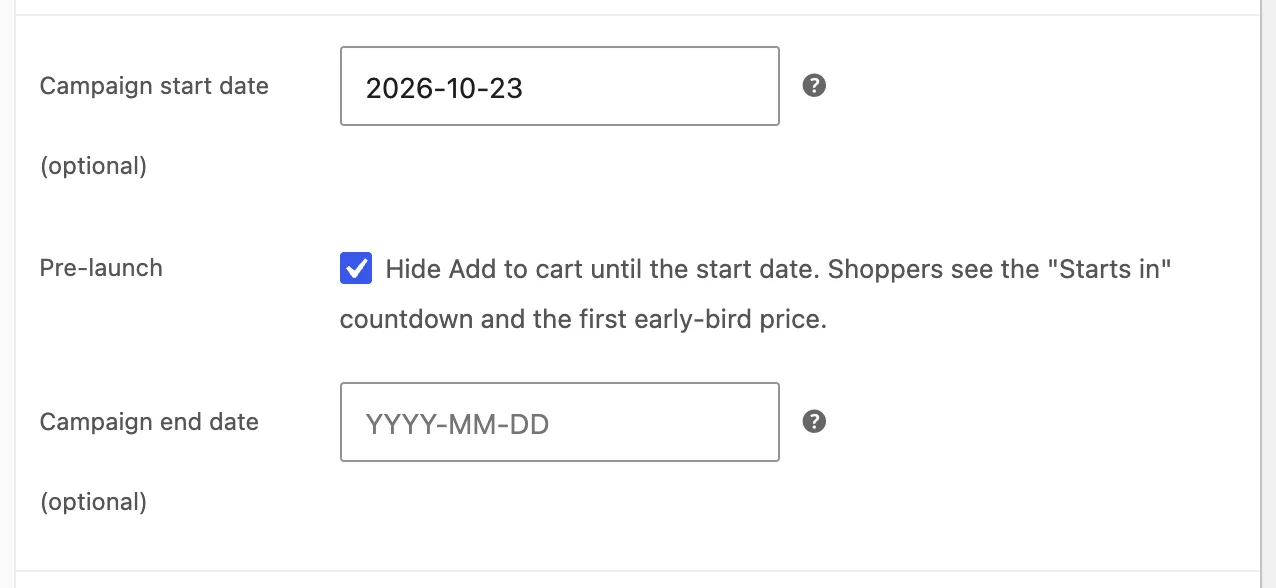
Make sure Enable TierStep pricing campaign is ticked, then click Update.
For a store-wide campaign, tick Pre-launch: hide Add to cart until the start date under Dates on the campaign screen. Every product the campaign covers stays off sale until the start date.
What shoppers see
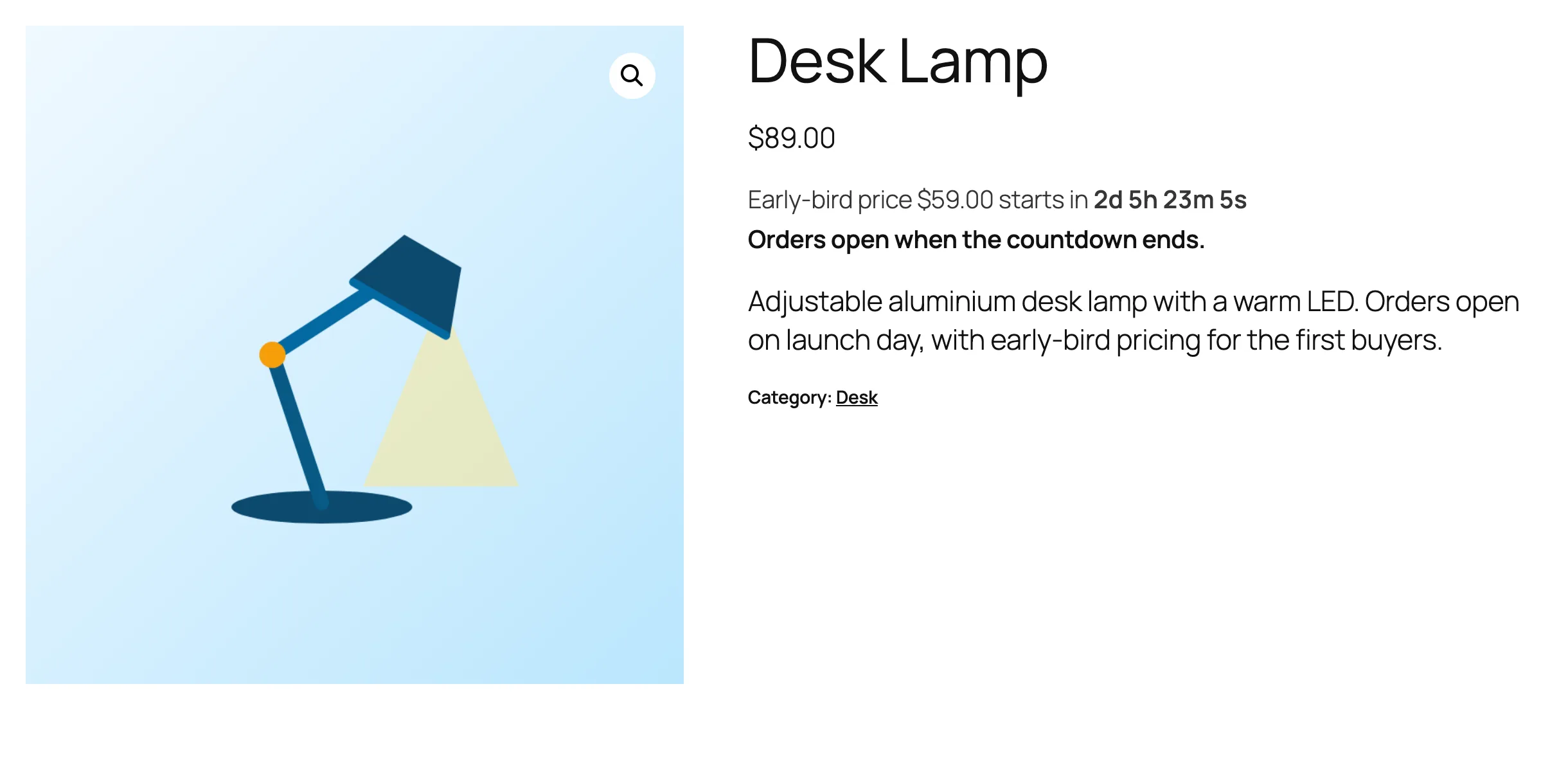
On the product page: the regular price, "Early-bird price $59.00 starts in…" with a live countdown, and "Orders open when the countdown ends." There is no Add to cart button.
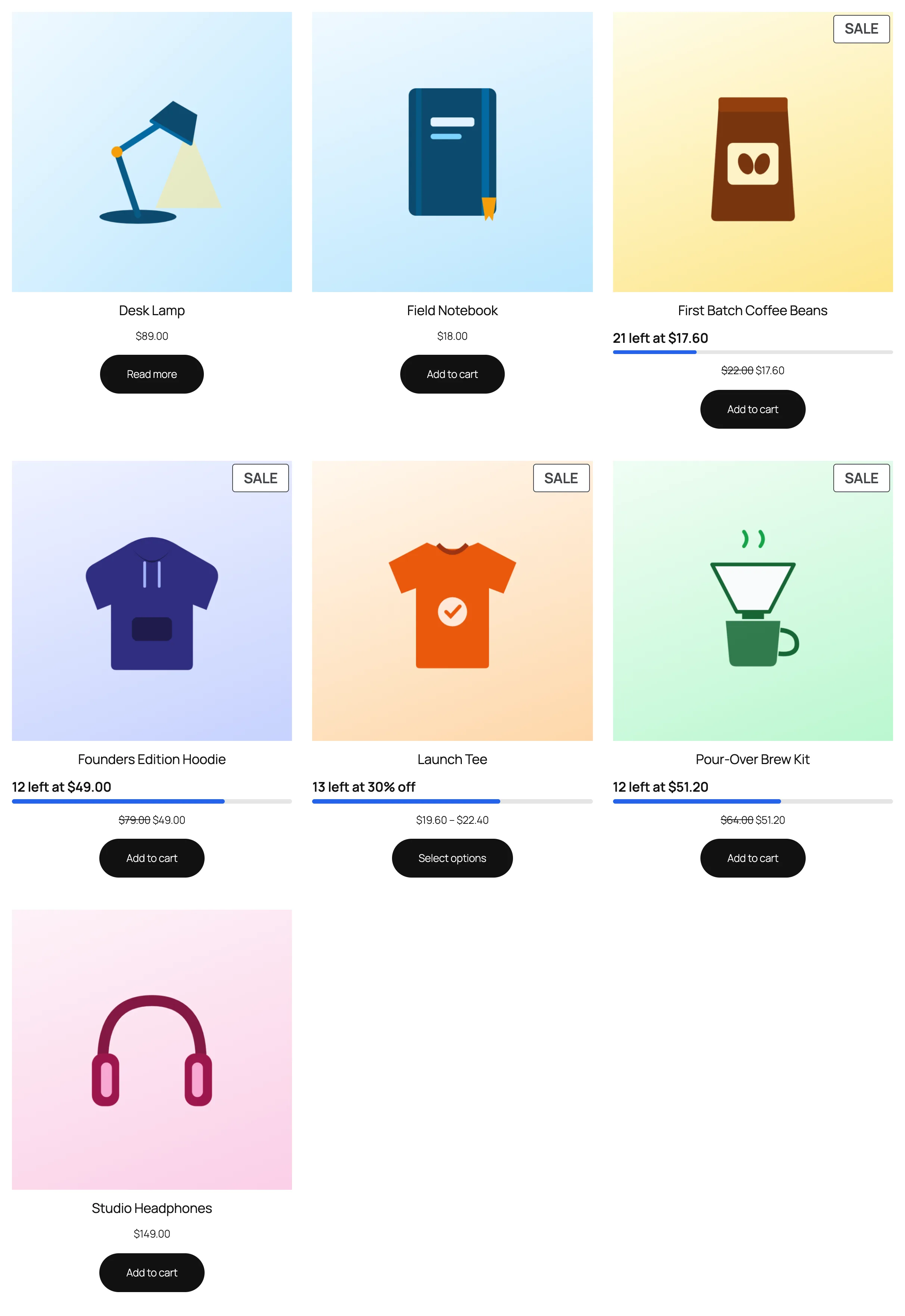
On shop and category pages: the product shows a Read more button instead of Add to cart.
At launch: the campaign starts at 00:00 on the start date, store time. Add to cart appears and the first tier price applies.
The countdown shows even if you turned off the "Starts in" countdown in settings, so shoppers always know why they can't buy yet. You can reword "Orders open when the countdown ends." under Storefront text → Pre-launch message.
Notes and limits
- Pre-launch blocks every way to buy: the product page, shop buttons,
?add-to-cart=links, the Cart and Checkout blocks and the Store API. - Without a start date, or with the campaign paused, pre-launch does nothing and the product sells as normal.
- Product pages in pre-launch tell page caches not to store them, so Add to cart appears at launch without clearing anything. Shop and category pages may still be cached: clear your page cache at launch so their buttons update too.
- When the countdown reaches zero, the page says "The early-bird price is live. Refresh to see it." Shoppers who refresh get the Add to cart button.
Common questions
Can shoppers pre-order before launch?
No. Pre-launch hides buying completely until the start date. If you want to take orders early, leave Pre-launch off: the product sells at its regular price until the campaign starts.
Can I collect emails before launch?
TierStep doesn't collect emails. Add a signup form from your email plugin to the product description or a launch page, and link to the product from there.
What happens to a product already in someone's cart?
If it was added before you turned pre-launch on, WooCommerce removes it from the cart, because the product can no longer be bought.