
Settings
Go to WooCommerce → Settings → Products → TierStep. There's also a Settings link on the Plugins screen.
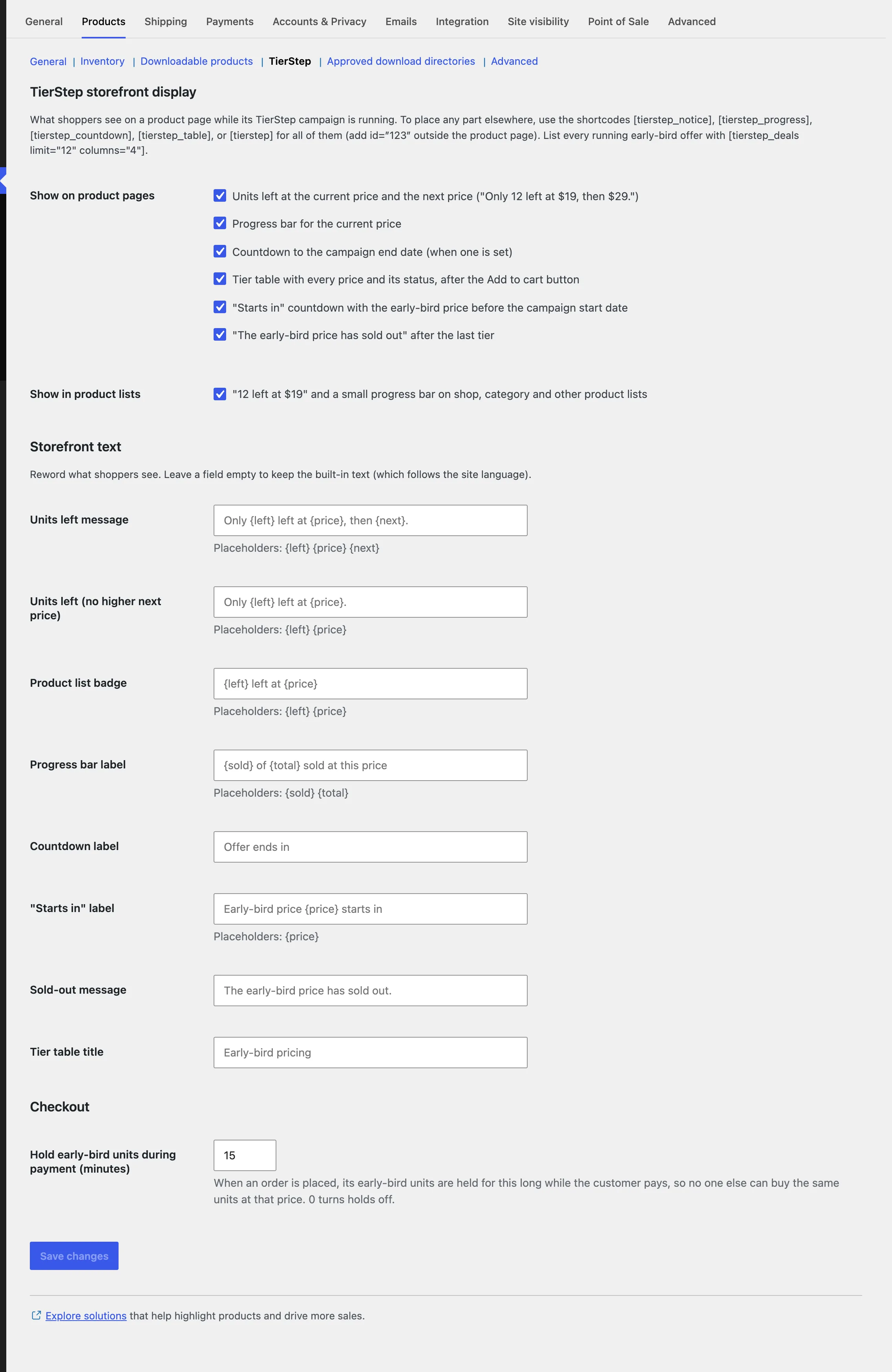
Storefront display
Switch each part on or off for product pages: units left, progress bar, countdown, tier table, "starts in" countdown, sold-out message (off by default), and badges in product lists. Shortcodes and blocks always show their part, whatever these settings say.
Storefront text
Reword any message shoppers see. Leave a field empty to keep the built-in text, which follows your site language. Use the placeholders shown under each field:
| Placeholder | Becomes |
|---|---|
{left} | Units left at the current price |
{price} | The current price (or discount) |
{next} | The next price (or discount) |
{sold} / {total} | Units sold and units in the current tier |
Example: Hurry! {left} left at {price} before {next}.
Checkout
Hold early-bird units during payment (minutes): how long a placed order holds its units while the customer pays. Default 15; 0 turns holds off. See Fair launches.