Status and stats
TierStep status box
Every product's edit screen has a TierStep status box in the sidebar.
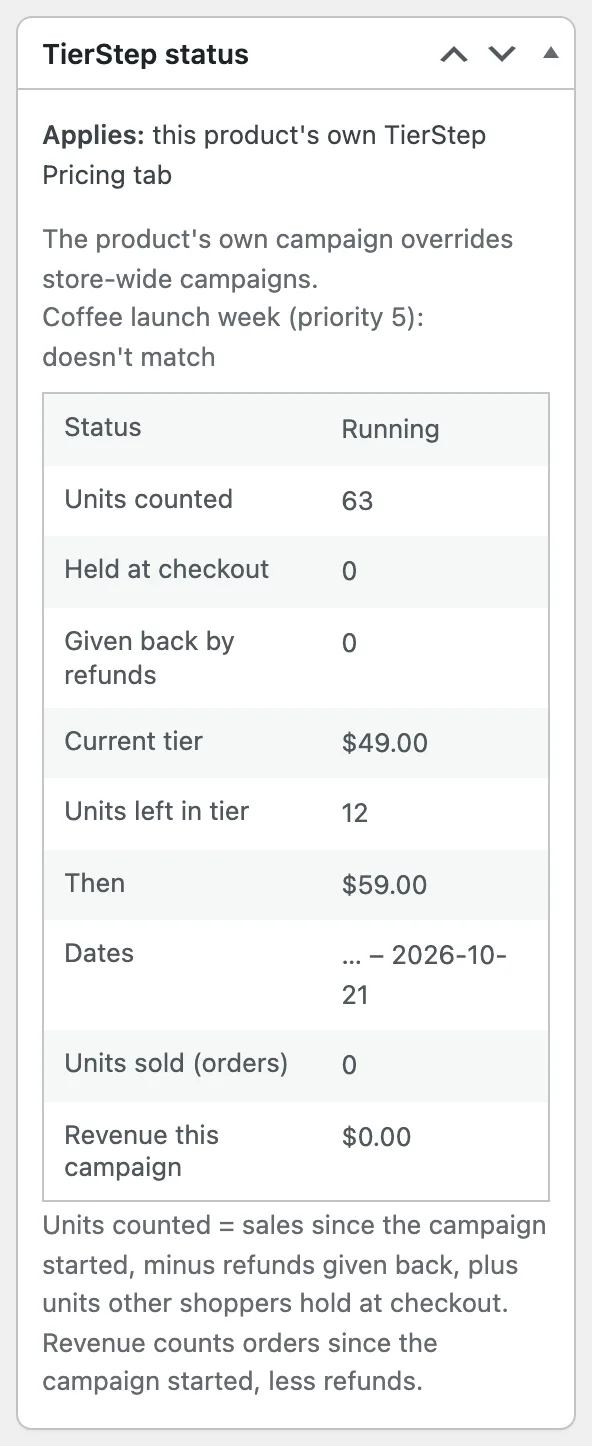
It shows:
- Which campaign applies: the product's own tab, a store-wide campaign, or none, and every store-wide campaign with whether it matches and its priority.
- Status: running, scheduled, paused, ended or all tiers sold out.
- Units counted, held at checkout and given back by refunds.
- The current tier, units left in it and what comes next.
- Units sold and revenue from orders since the campaign started, after refunds.
Use it to check a campaign after saving: it shows exactly what shoppers get.
Campaign stats
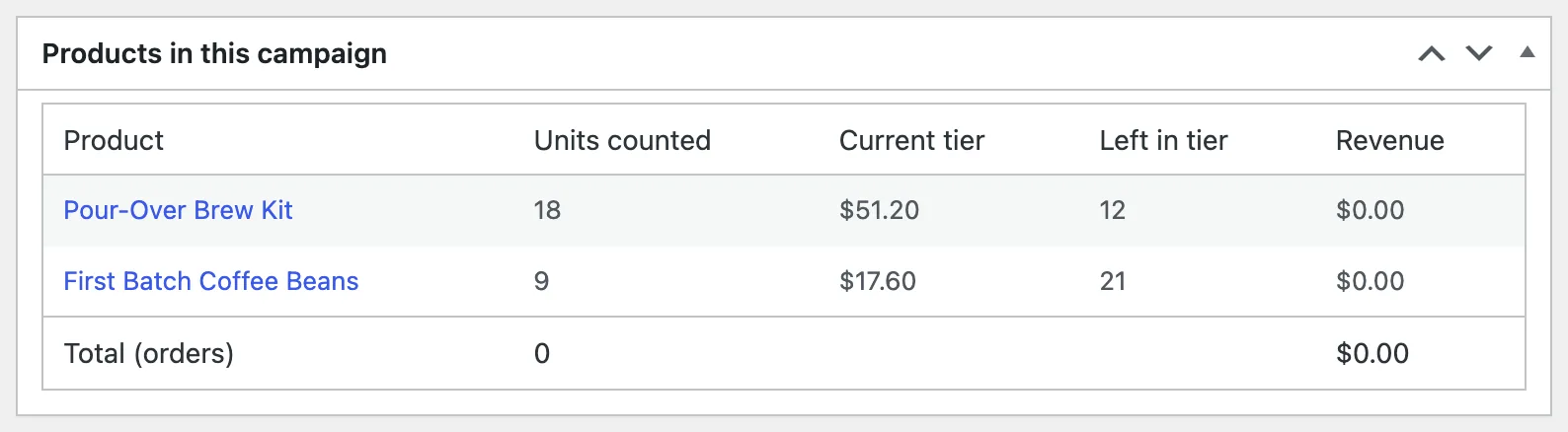
Each store-wide campaign lists its products with units counted, current tier, units left and revenue, plus totals.