How to Set Up Early Bird Pricing in WooCommerce (Step by Step)
Early bird pricing rewards the customers who buy first. The first batch sells at a lower price, and the price rises as each batch sells out. It’s one of the simplest ways to turn a launch into real momentum: buyers have a reason to act now, and the reason is honest, because the cheaper price runs out when it actually sells.
WooCommerce doesn’t do this on its own. A sale price is one fixed number with a start and end date; it can’t change by how many units you’ve sold. This guide shows how to set it up properly.
What early bird pricing looks like
A typical early bird plan for a new product:
| Units sold | Price |
|---|---|
| First 25 | $39 |
| Next 50 (26–75) | $49 |
| Next 75 (76–150) | $59 |
| After that | $79 (regular price) |
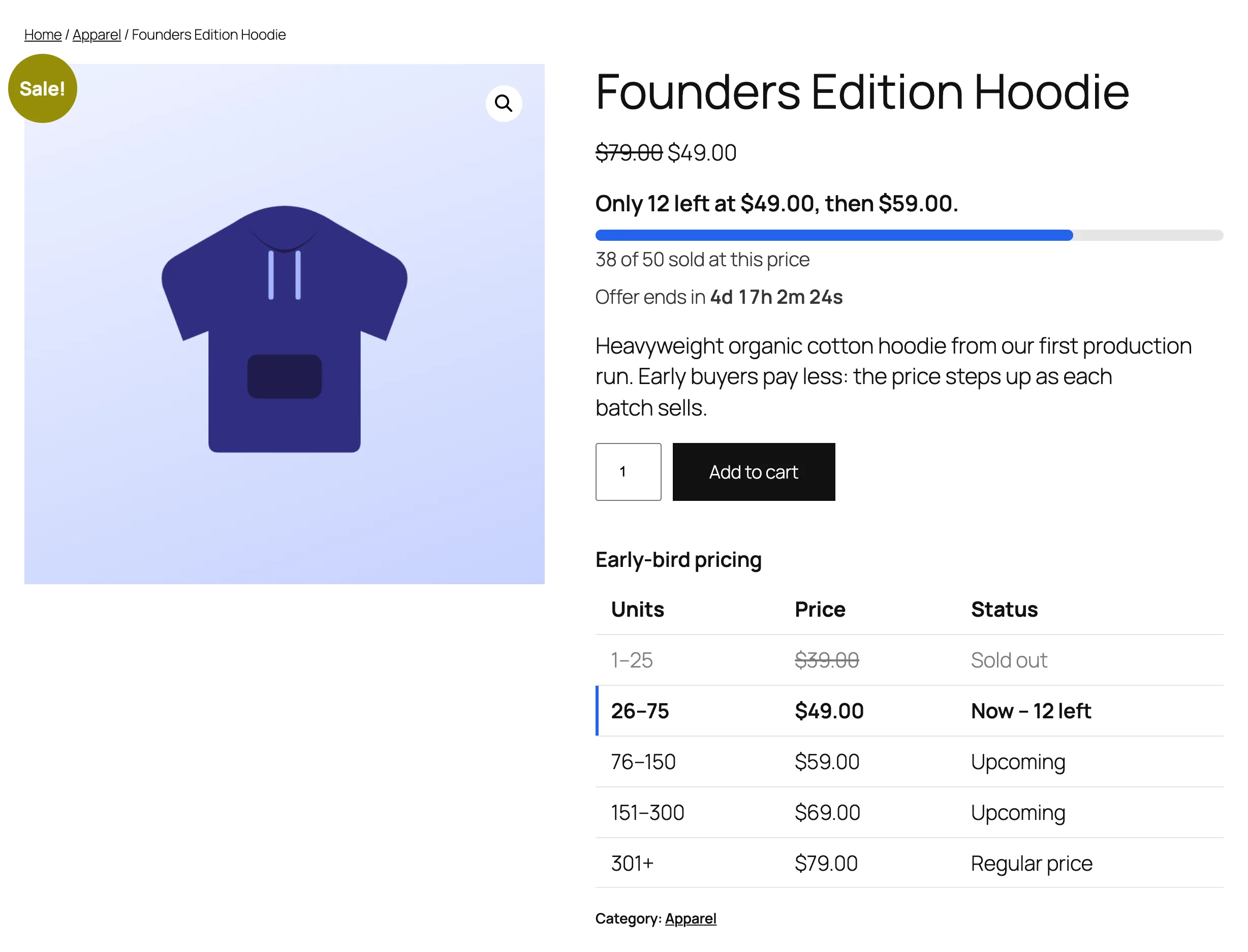
Shoppers should be able to see where they stand: how many units are left at the current price, what the next price is, and how long the offer lasts.
Option 1: change prices by hand
You can edit the product price each time a batch sells out. It works for a handful of sales, but:
- you have to watch sales constantly and react fast;
- orders placed while you’re away get the wrong price;
- two customers checking out at the same moment can both get the last cheap unit;
- shoppers can’t see how many units are left, so the urgency is invisible.
Option 2: use a sales-based pricing plugin
A plugin that counts units sold and switches the price automatically solves all of that. The steps below use TierStep, a free plugin made for exactly this (by CommerceWP, the makers of this guide). Other sales-based pricing plugins work in a similar way.
Step 1: Install the plugin
In WordPress, go to Plugins → Add New Plugin, search for TierStep, then install and activate it.
Step 2: Add your price tiers
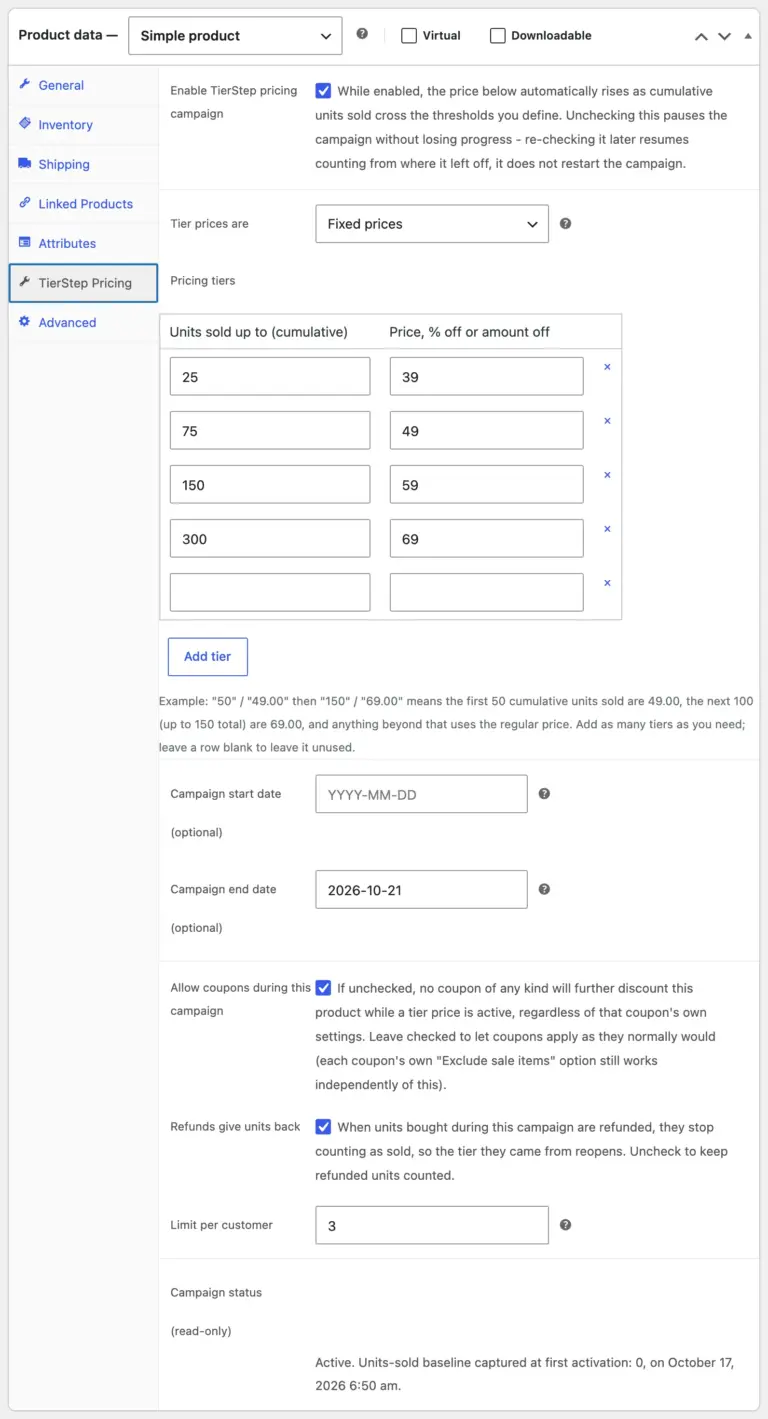
Edit your product, open the TierStep Pricing tab in the Product data box and tick Enable TierStep pricing campaign. Then add one row per tier: “units sold up to” and the price for those units.
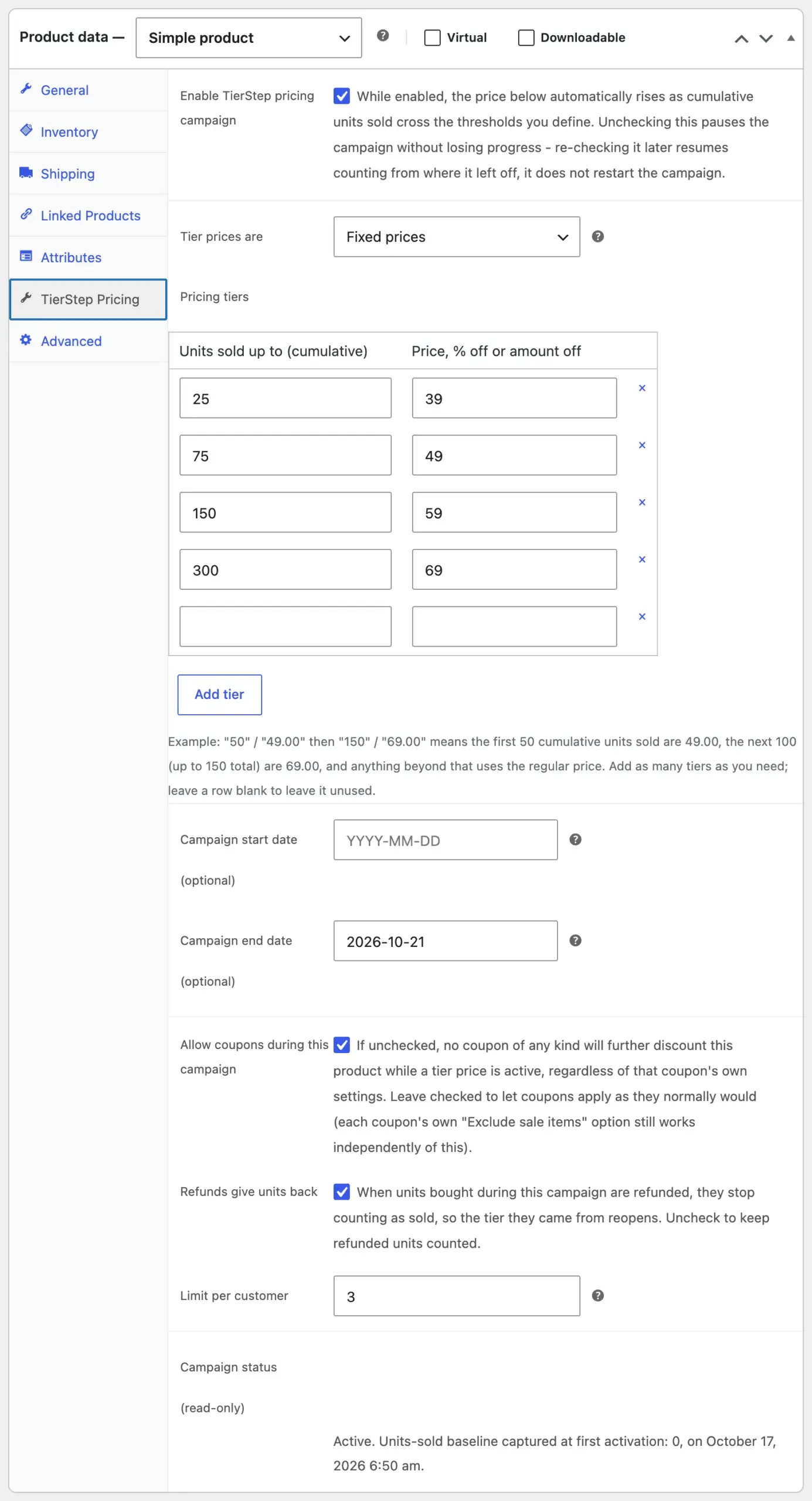
Prefer discounts? Set Tier prices are to Percentage off the regular price and enter 30, 20, 10 instead. Discount tiers follow your regular price if you change it, and they work on variable products too.
Step 3: Set an end date (optional)
An end date adds a live countdown to the product page. The offer ends at whichever comes first: the end date, or the last tier selling out.
Step 4: Keep it fair
Early bird pricing only builds trust if it works as promised:
- Cap each order to the current tier, so one order can’t buy 40 units at a price that only had 3 left.
- Hold units during payment, so two shoppers can’t take the same last units.
- Limit units per customer, so one buyer can’t take the whole cheap tier.
- Give refunded units back to the tier they were sold at.
TierStep does all four automatically; set the per-customer limit on the same tab.
Step 5: Show it on your store
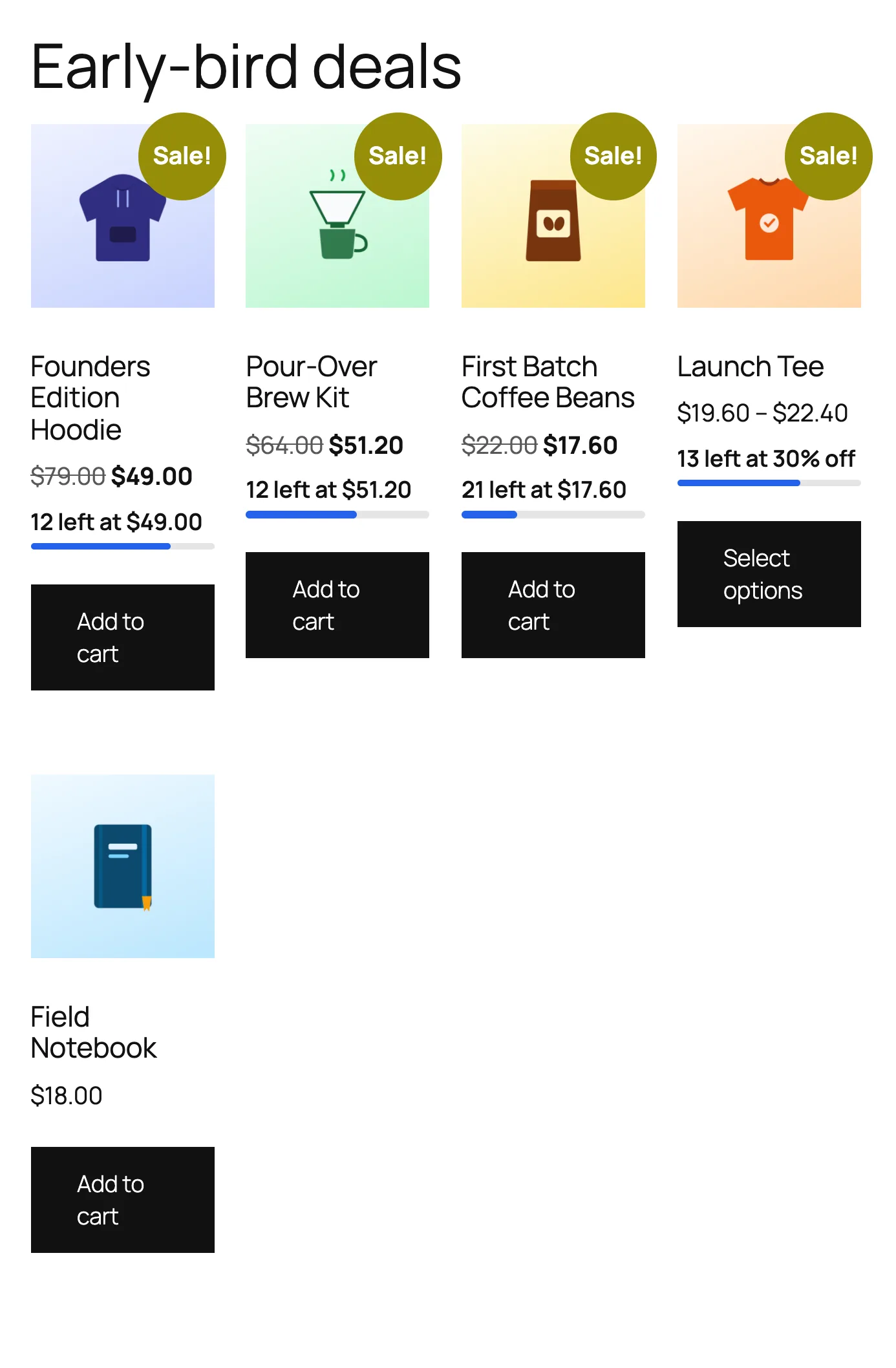
Shoppers now see “Only 12 left at $49, then $59” under the price, a progress bar, the countdown and a table of every price step. Product lists get a small “12 left” badge.
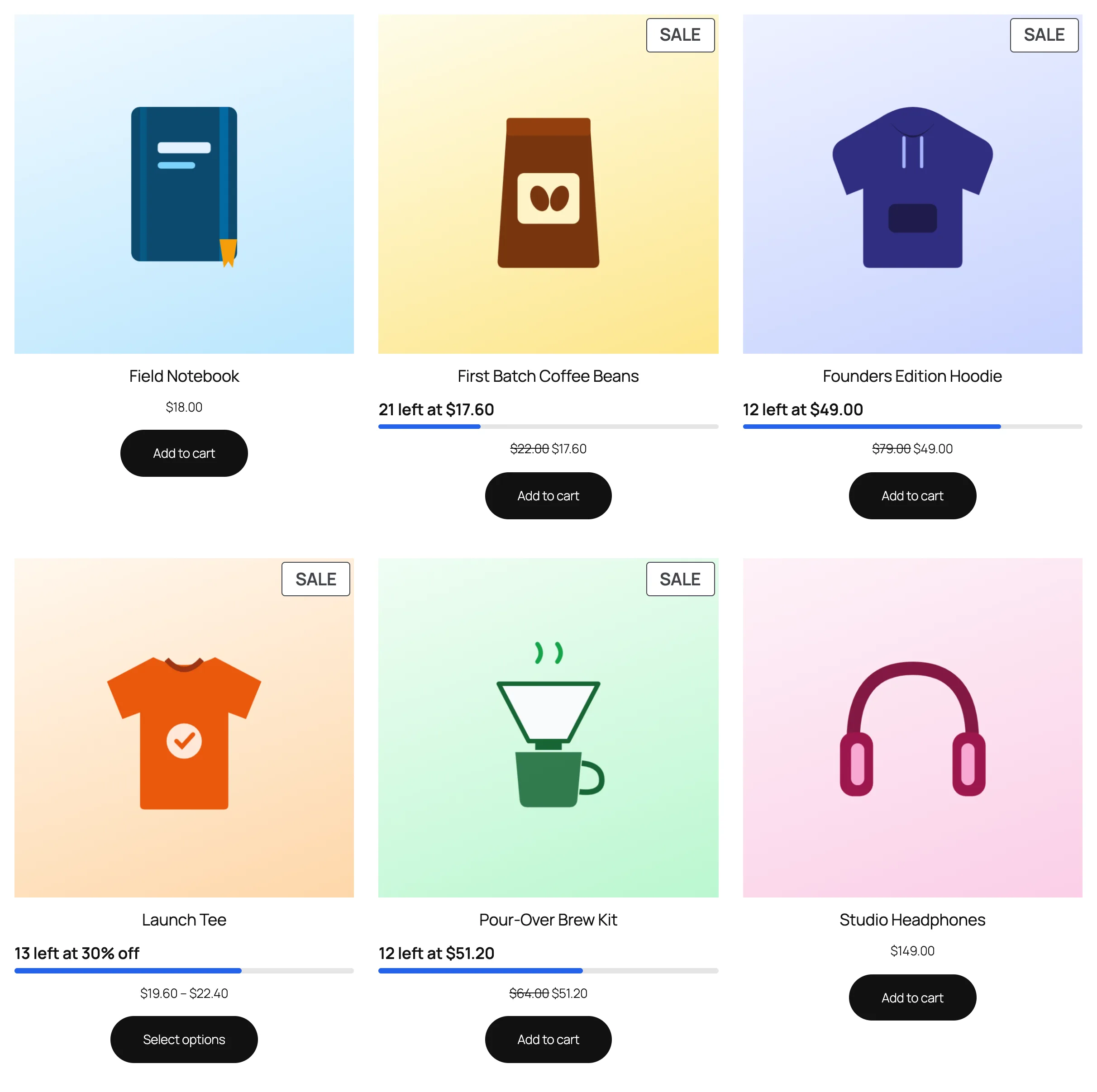
For a launch, create an “Early-bird deals” page that lists every running offer, ending soonest first.
Tips for a successful early bird launch
- Make the first tier small. 20 to 50 units sells out fast and proves demand.
- Keep steps meaningful. $10 between tiers is noticeable; $1 isn’t.
- Announce it before it opens. A start date shows a “starts in” countdown with the early bird price.
- Tell your list when a tier is about to sell out. “12 left at $49” is the best email subject you’ll ever write.
- Don’t fake scarcity. Real counts are what make early bird pricing work, and what keep customers coming back.
Early bird pricing vs bulk discounts
They sound similar but work in opposite directions. Bulk (tiered quantity) discounts lower the price when one customer buys more units in one order. Early bird pricing changes the price for everyone as total sales grow. If you’re launching a product or a first batch, you want early bird pricing. For the mechanics of a price that rises after a set number of sales, see how to increase a WooCommerce price after X sales.
Get started
TierStep is free on WordPress.org. The TierStep documentation walks through every feature with screenshots.
Comparing options? See how TierStep stacks up against other plugins in WooCommerce early bird pricing plugins compared.