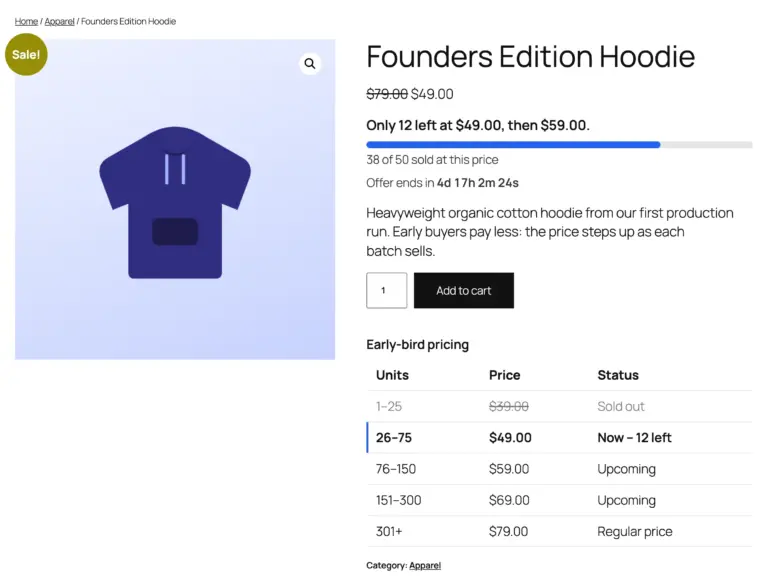
How to Raise a WooCommerce Price Automatically After X Sales
Want the first 50 customers to pay less, and the price to go up by itself after that? WooCommerce can’t do it out of the box: its sale price is one fixed number with optional dates, and it never looks at how many units you’ve sold.
Here’s how to make the price change automatically after a set number of sales.
The idea
You define steps based on units sold:
- units 1–50 at $19
- units 51–150 at $29
- from unit 151, the regular price of $39
Every time an order is paid, the count goes up. When it passes 50, the price becomes $29 for the next shopper, automatically.
Why not a snippet?
You’ll find code snippets that read WooCommerce’s sales count and change the price. They break down in real stores:
- the count includes old sales, from before your offer started;
- refunds and cancellations aren’t handled;
- one big order can jump a tier and get every unit at the cheap price;
- two shoppers checking out together can both get the last cheap units;
- nothing tells the shopper how many units are left.
Set it up with TierStep (free)
TierStep is a free WooCommerce plugin built for this. It counts only sales made after your offer starts and handles all of the cases above.
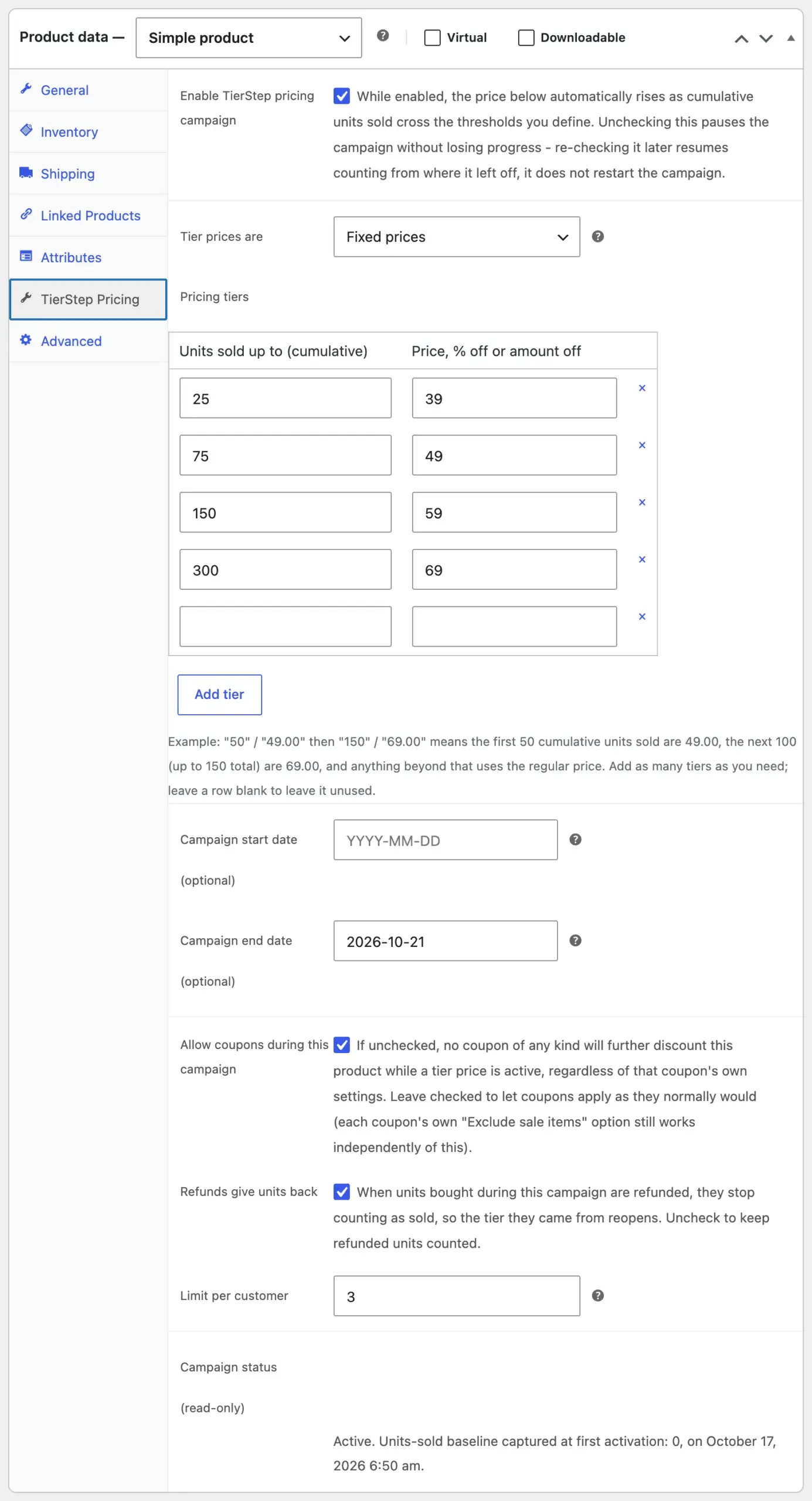
- Install TierStep from Plugins → Add New Plugin and activate it.
- Edit the product and open the TierStep Pricing tab.
- Tick Enable TierStep pricing campaign.
- Add the steps:
50/19, then150/29. - Click Update.
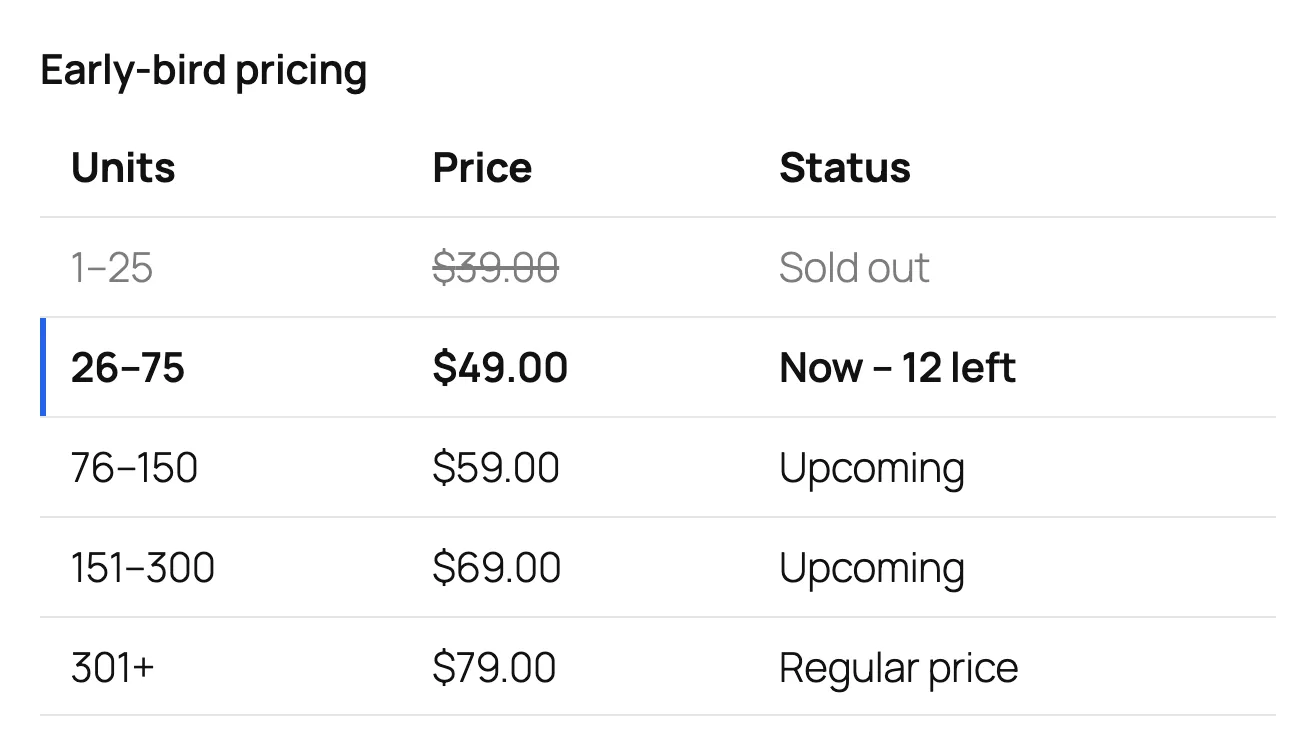
That’s it. Your product page now shows the price steps, with the current one highlighted:
Raise prices across many products at once
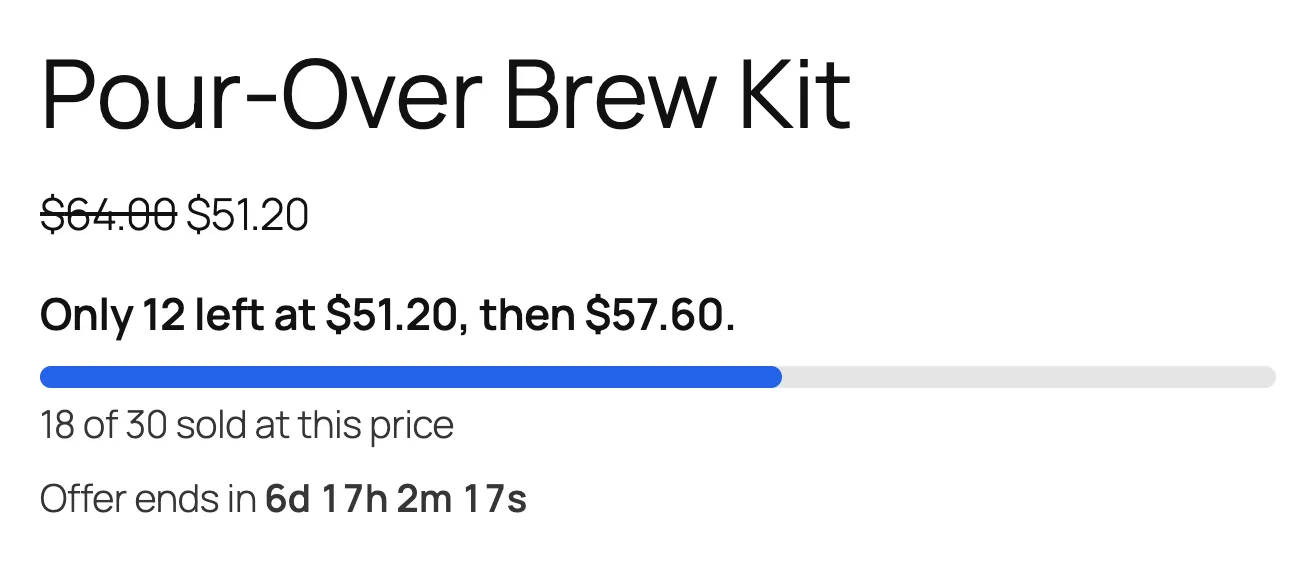
To run the same rule across a whole category, for example 20% off the first 30 units of every product in “Coffee”, create a store-wide campaign under Products → TierStep Campaigns. Each product counts its own sales.
Good to know
- Variable products share one count across all sizes and colours, and each variation is priced from its own regular price.
- Refunded units go back to their tier, so a cheaper price can reopen.
- Prices update for everyone, not per customer. If you want lower prices for bigger orders instead, that’s a bulk-discount plugin.
Read the full TierStep documentation for every option.
Planning a launch? See the step-by-step guide to early bird pricing in WooCommerce. To weigh up other plugins, read WooCommerce early bird pricing plugins compared.